
Welcome to Upadhyaya Family and Relatives (Beta) Site
So What’s New in V1.4
From the Menu, Clicking on Family > My Family takes you to our new Family Page.
Note: Three buttons, My Genealogy Page, My Ancestors and My Descendents use the WP-TNG Integration Plug-in and hence removed from this Demo Site.
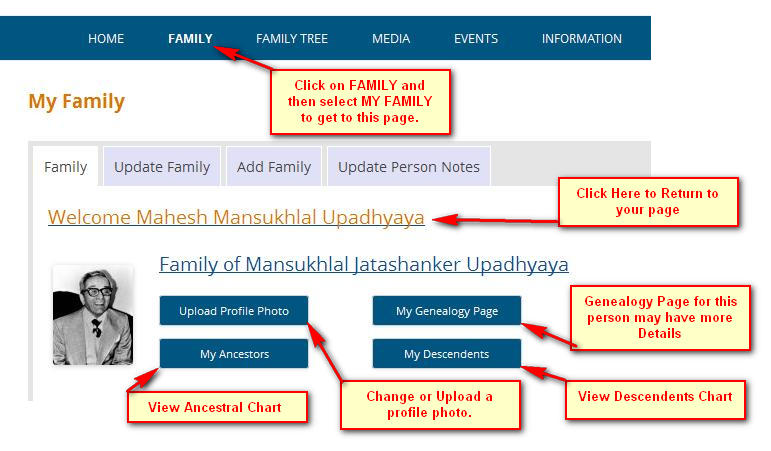
This is our main family page around which we have built our Phase 3 update.
At a glance the page displays details about your family. There are 4 options next to your profile photo.
Upload Photo to change or add your profile photo to the family tree.
Genealogy Page takes you to person’s genealogy where there may be more information about the person. You may view charts about Ancestors and Descendents.
Family page is shown in more detail below
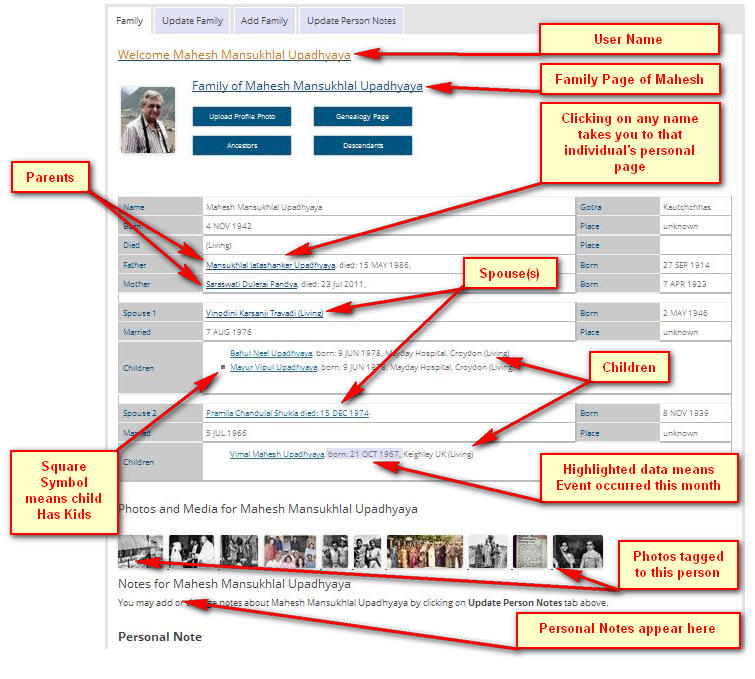 Family page displays, your welcome messaage. Next is the name of the person whose details you are viewing.
Rest of the details are:
Parents
Spouse(s) and children.
Clicking on any name takes you to that person’s personal page.
Birth and death anniversaries in the current month are highlighted.
Update Family
consists of 4 steps.
- Check and update personal data. Click on Next
- Check and update Parents’ data. Click on Next
- Check and update Spouse’s data. Click on Next
- Check and update Children’s data. Click on Finish
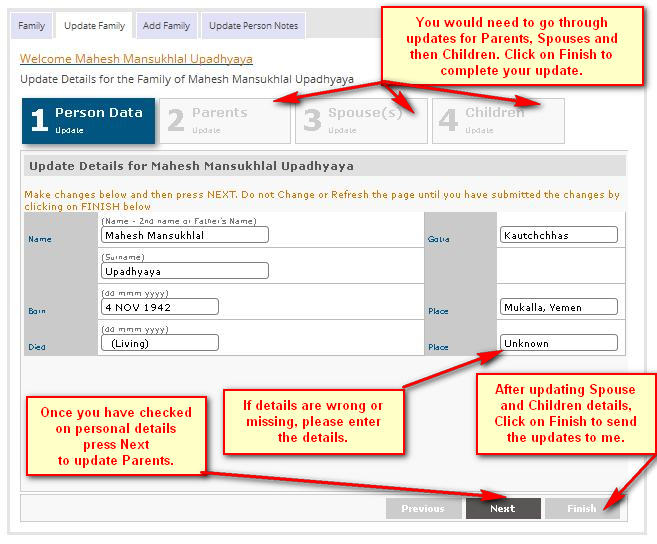 Once you click Finish your updates are sent to me. I shall update the database and let you know once this is done.
Add Family
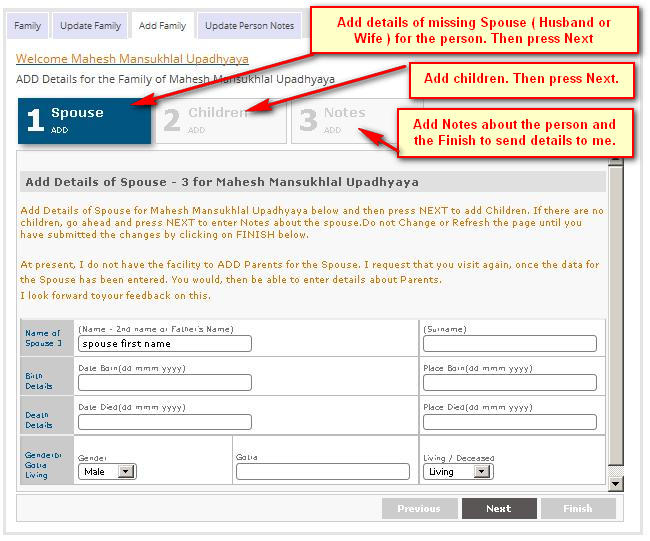
Add Family is used when the Person does not have spouse (husband or wife) details in the database. Once you have entered details about the spouse, Details of the children may be added. Final step allows you to add notes about the person.
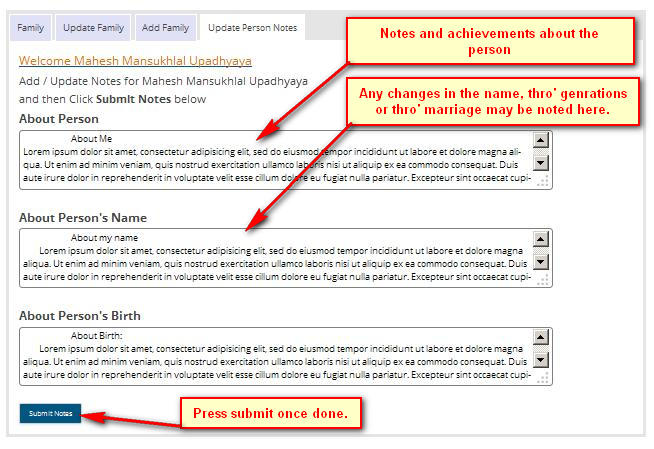
Update Person’s Notes
Finally
 For more information, please contact me.